 Awakly





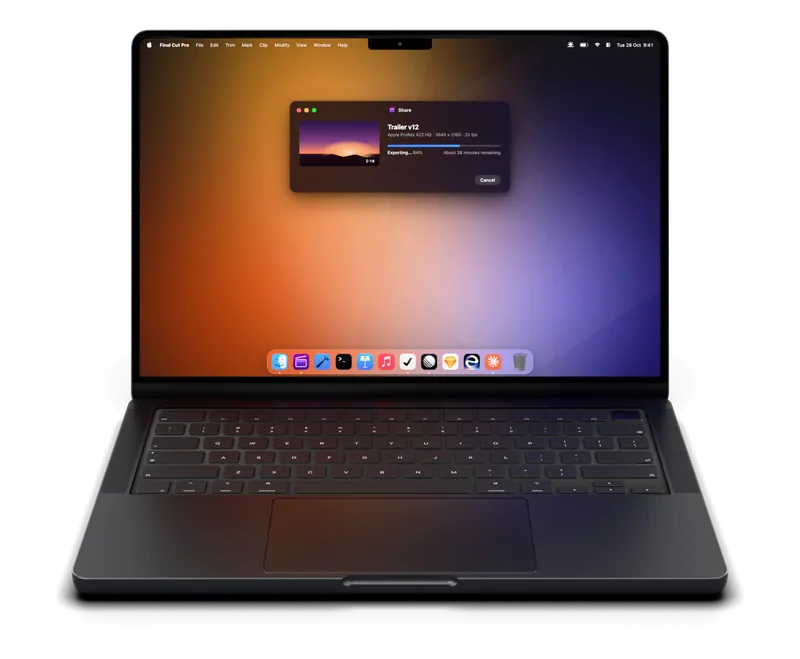
One shortcut, anywhere
Press ⌃⌥⌘A in any app to start or stop a session. Record your own in Settings.
A menu bar app for macOS 14 and later
Awakly keeps your Mac awake while a download, export, build or talk needs it, then lets it sleep. One click in the menu bar, or rules that do it for you.
FreePro is $9.99, onceNo account
After a few idle minutes it goes to sleep, whatever is still running.
Ten idle minutes, and all four stop where they were. Awakly keeps it awake until the last one is done. Then it lets it rest.
01One click
Awakly lives in your menu bar. The sun comes up while your Mac is kept awake, and sets as a timed session runs down.
The drop-down opens with everything in one place. Right-click the sun to start or stop without it, or press ⌃⌥⌘A in any app.
Fifteen minutes to eight hours, until a time of day, or until you turn it off. Keep the display on for a talk, or let the screen sleep while the work carries on.
The time left shows in the menu bar, and the sun sinks toward the horizon as the session runs down.
Five minutes before the end, a notification offers fifteen more minutes or an hour. Nothing ends by surprise.
02Automatic
Rules start a session when something needs your Mac awake, and end it the moment it doesn't. Every automatic session names what started it.
A session you start yourself always wins. Rules never replace or shorten it, and take over again once it ends.

An app is open
Keep exporting with the screen asleep, and sleep when the app quits.

An app is in front
Awake while you work in it. Switch away, and the Mac sleeps on its usual timer.
A slideshow is on
The display never dims mid-talk. PowerPoint works the same way.
A display
Docked at your desk? Stay awake until you unplug.
A connection
Remote sessions and long transfers stay alive for as long as you're on.
A Wi‑Fi network
Awake on one network, like the office, and asleep everywhere else.
A schedule
Working hours, overnight windows, or any days you pick.
A calendar event
Any busy event, or only events with a word in the title.
Activity
Averaged over two minutes, so a spike doesn't start a session and a lull doesn't end one.
Power
Start a session as the adapter goes in, and end it when it comes out.
03Lid closed Pro
Keep a MacBook running with the lid shut, on battery, with no display attached. No helper to install, no administrator password.
Sleeps below 30% battery, so the job never drains it flat.
Sleeps when macOS reports a serious thermal state.
Lid shut, on battery, no display and no sound for 10 minutes? It sleeps.
Or 8, or 12. Raise the limit, or turn it off for the long jobs.
It always lets go. When a session ends or you quit Awakly, closing the lid sleeps your Mac again. If Awakly ever crashes, it turns lid sleep back on as soon as it reopens.
04Diagnostics Pro
See every app and system service keeping your Mac awake, what it prevents and for how long. Even while Awakly is off.
pmset -g assertions
Assertion status system-wide:
   PreventUserIdleDisplaySleep    1
   PreventUserIdleSystemSleep     1
   UserIsActive                   1
Listed by owning process:
   pid 93(powerd): [0x00a8f4] 00:12:31 PreventUserIdleSystemSleep
   pid 2210(Final Cut Pro): [0x00b171] 01:32:08 PreventUserIdleSystemSleep
   pid 4120(zoom.us): [0x00b19a] 00:38:44 PreventUserIdleDisplaySleep
   pid 691(backupd): [0x00b1aa] 00:04:12 PreventUserIdleSystemSleep
   pid 381(WindowServer): [0x00b1b0] 00:00:00 UserIsActive
Kernel Assertions: 0x4=USB
   id=500 level=255 0x4=USB owner=AppleUSBHostPort

The same list pmset reads, named and grouped. Click an app to bring it forward.
05Everywhere on your Mac
Press ⌃⌥⌘A in any app to start or stop a session. Record your own in Settings.
Start, stop and check a session from a shortcut, an automation or Spotlight.
Add Awakly to Control Center on macOS 26 and later. It lights up in any session.
Start, stop or toggle a session from Raycast, Alfred or a script with awakly:// links.
End a session when the battery runs low, or stay awake only on the power adapter. Both apply to every session.
Time awake each day, and what started each session. It never leaves your Mac.
Add Awakly to a Focus, like Work, to keep your Mac awake whenever it's on.
The drop-down and Settings match your Mac, or pick a side. Go on, try it on this page.
06Settings
Eight tabs in plain words. These are screenshots of the real app: click a tab in its toolbar to look around.

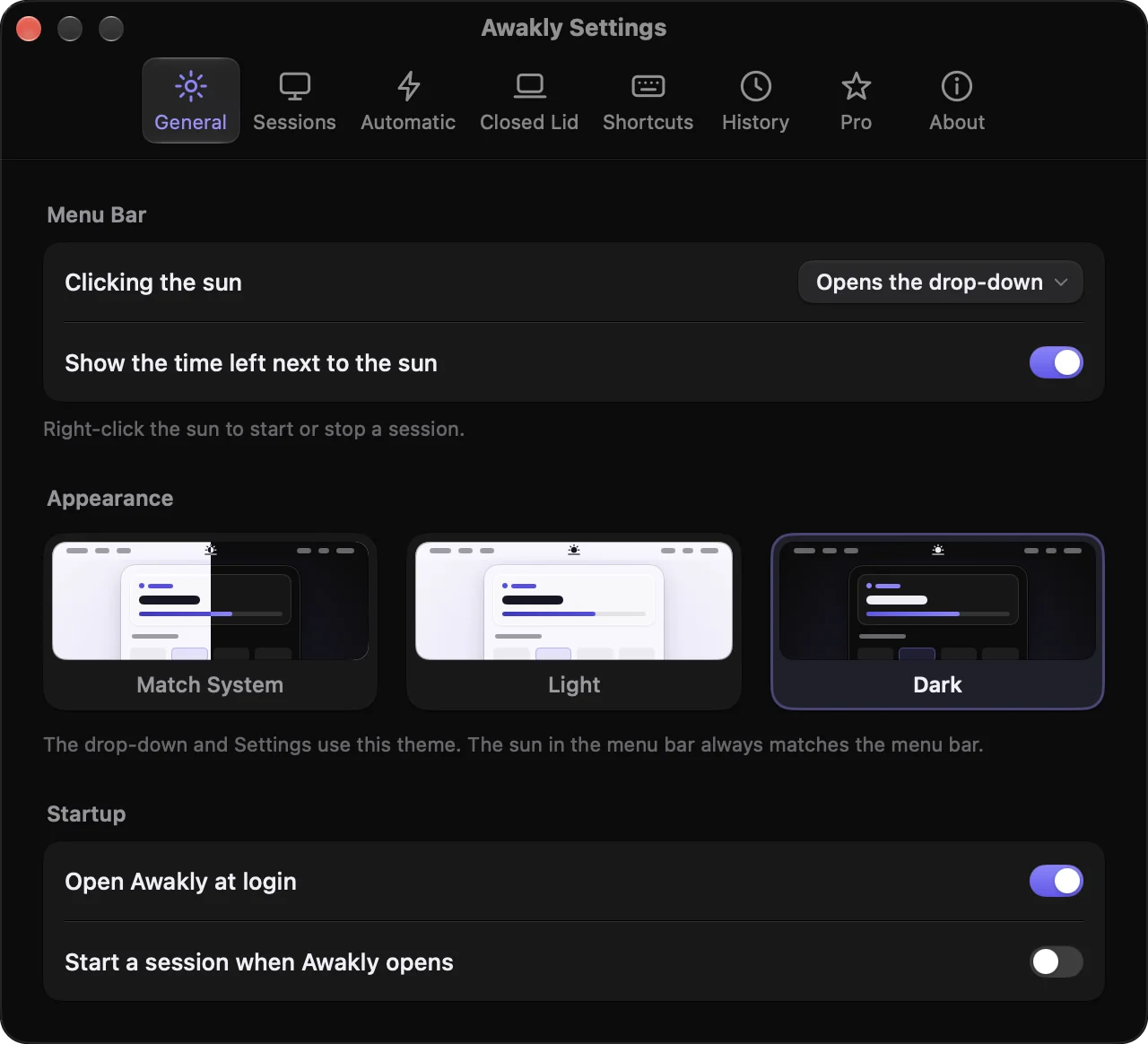

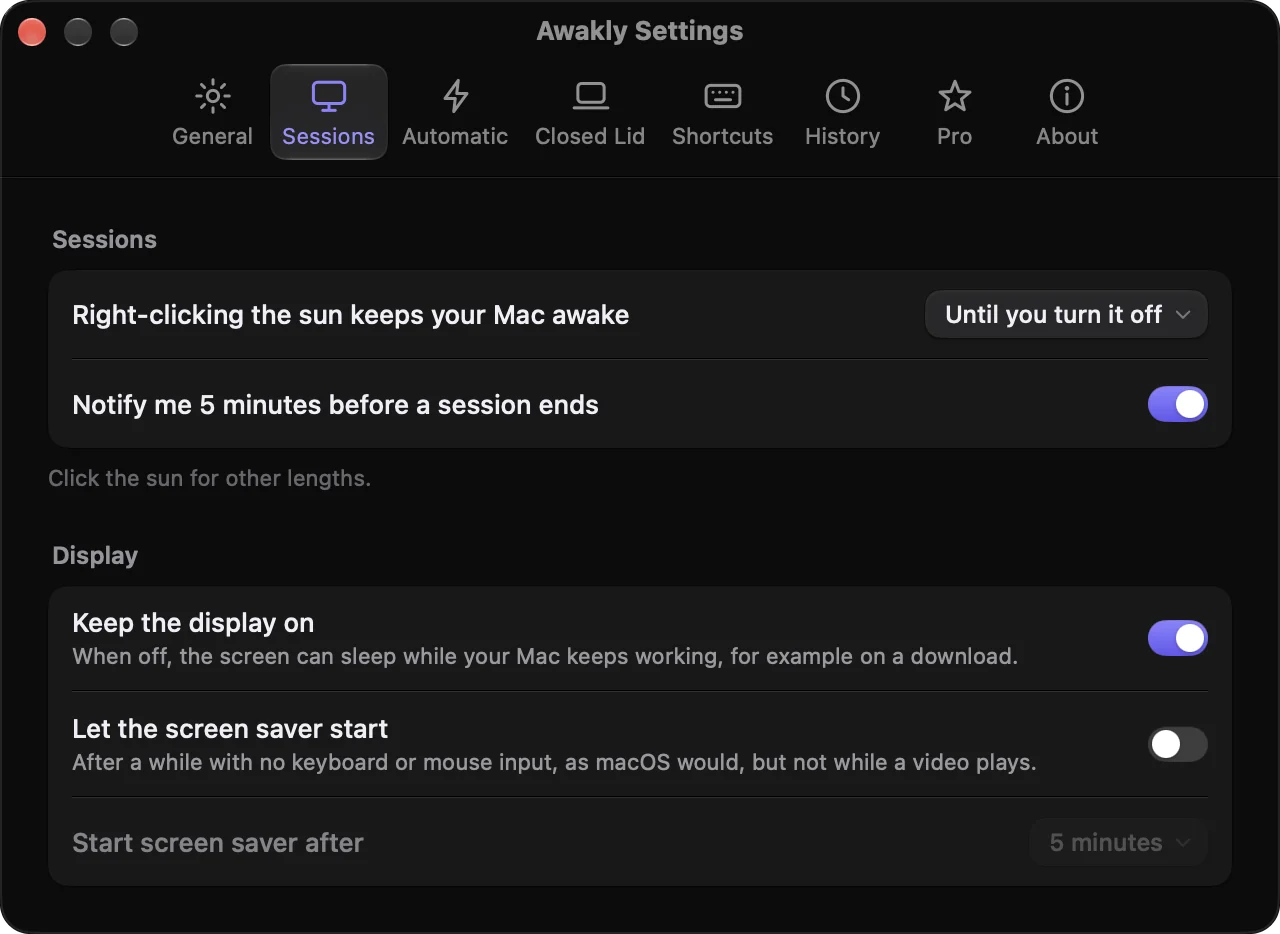

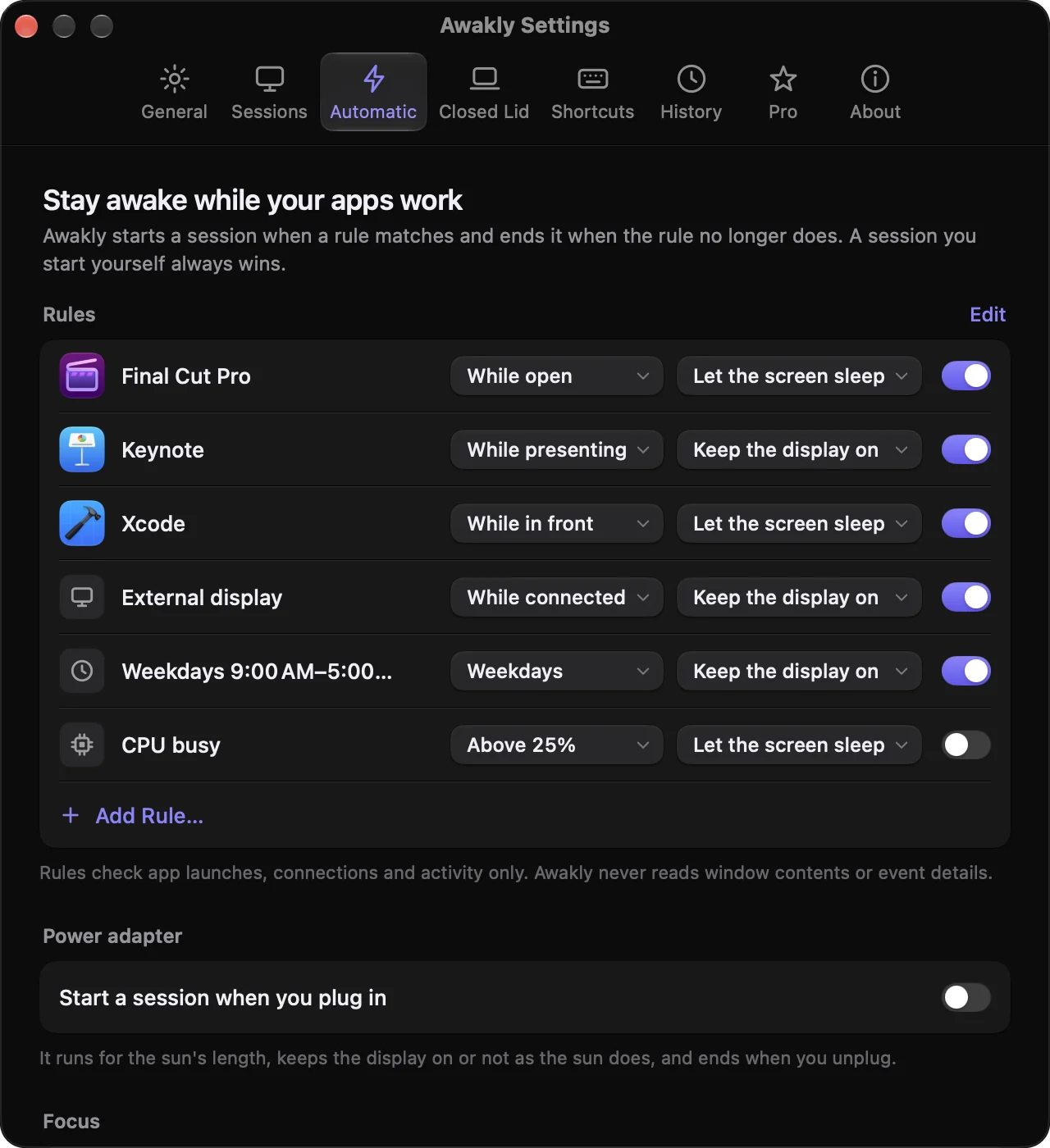

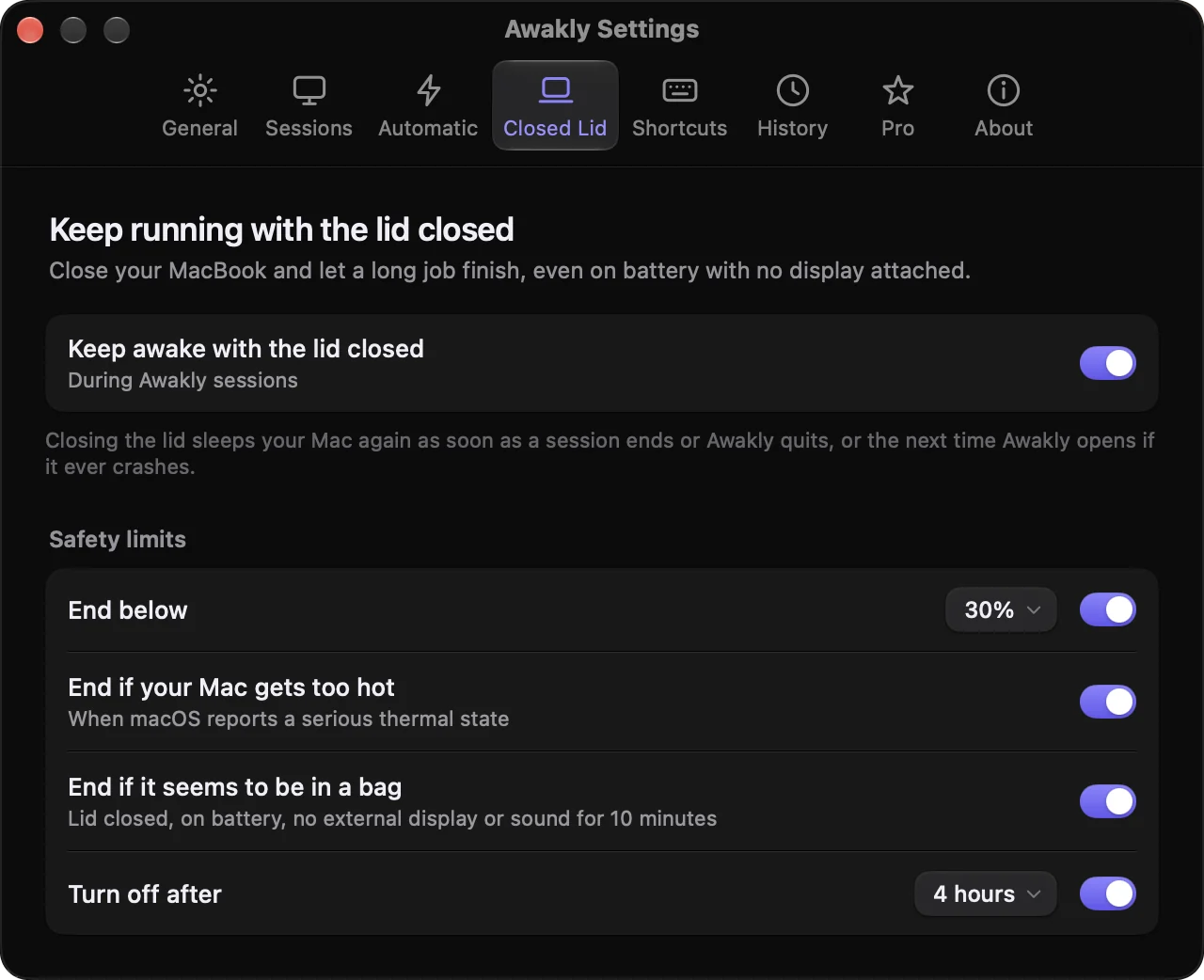

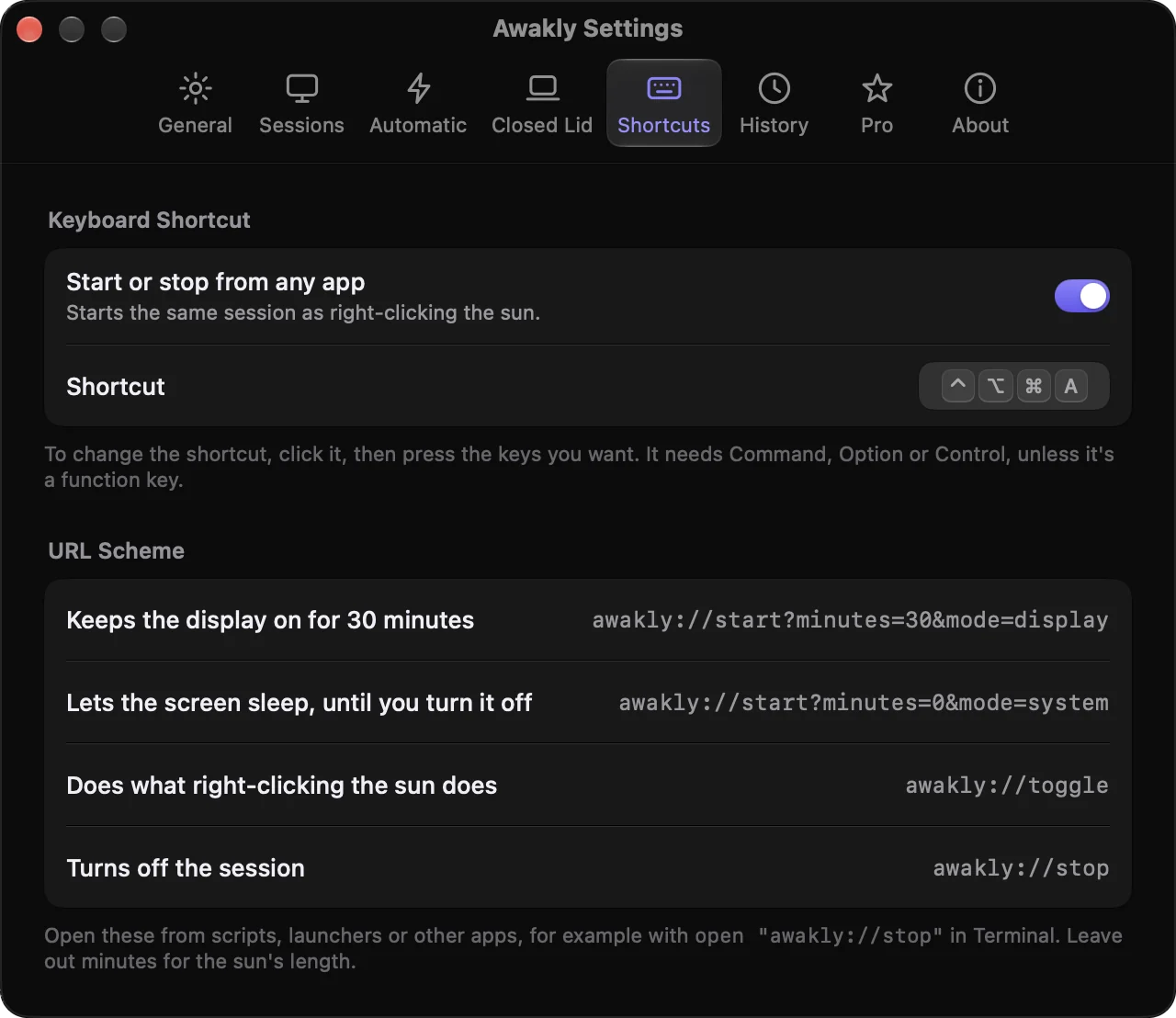

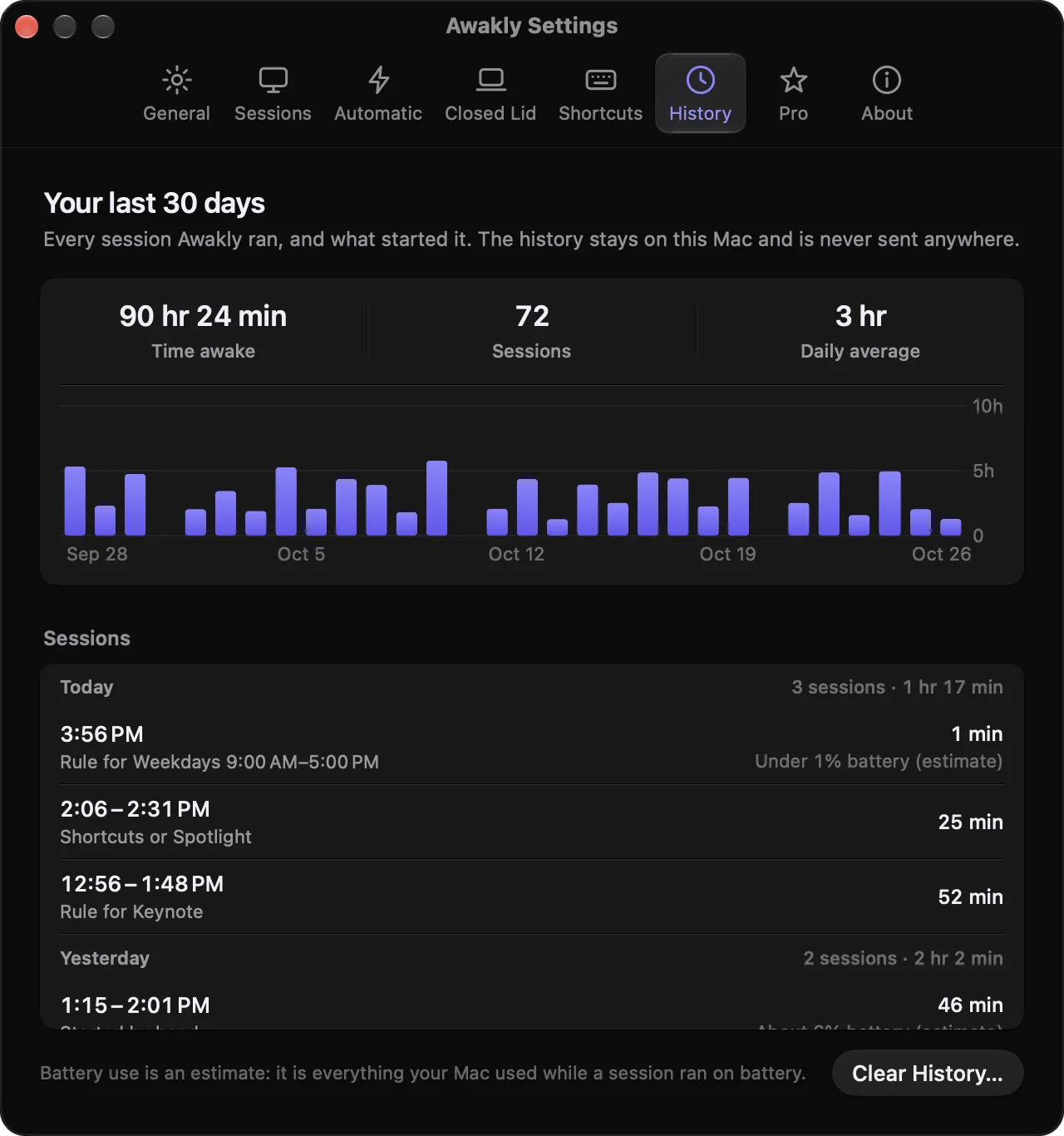

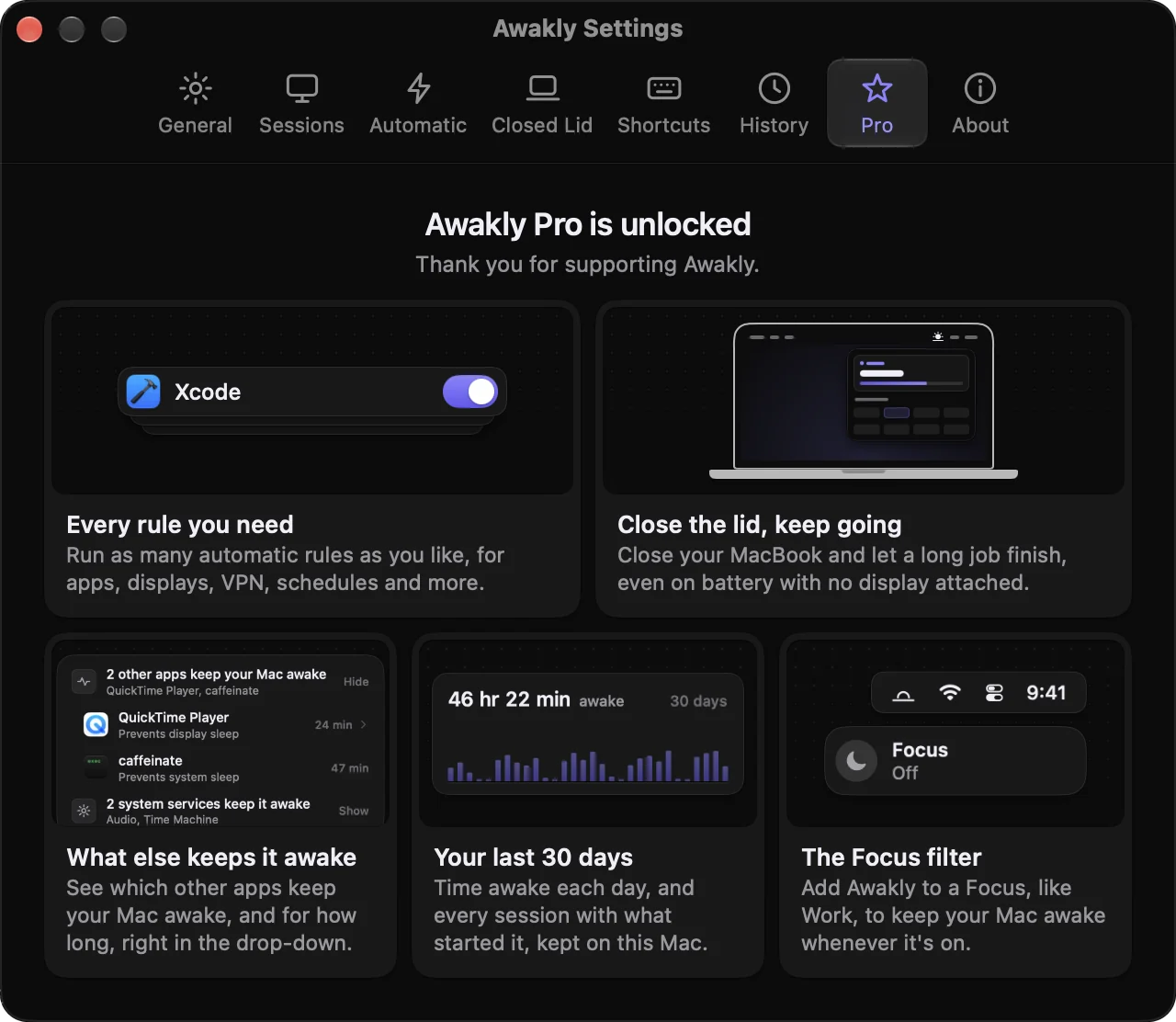

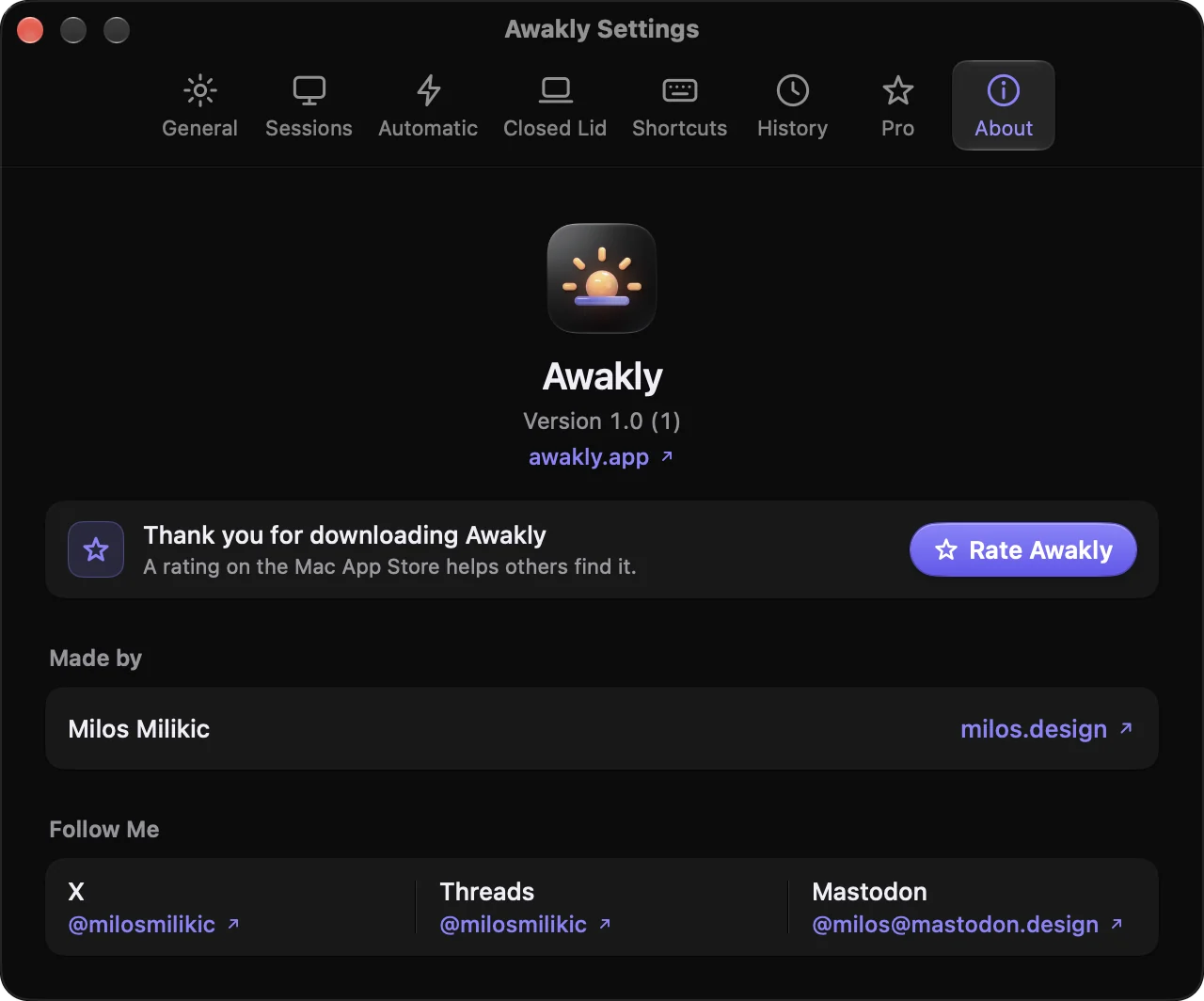
General. What clicking the sun does and the time beside it, the theme, and what happens at startup.
Sessions. The sun’s length, the heads-up before a session ends, the display, and the screen saver.
Automatic. Every rule in one list: what it waits for, and whether the display stays on. Then plugging in, the Focus filter and the safety limits.
Closed Lid. Closed-lid mode and its four safety limits, all on by default. Pro
Shortcuts. Record the keyboard shortcut, and copy the awakly:// links for scripts and launchers.
History. Thirty days of sessions, what started each one, and the battery it used. It never leaves your Mac. Pro
Pro. What Pro adds, acted out with Awakly’s own parts. One purchase, on every Mac you use.
About. The version, a way to rate Awakly, and who made it.
Awakly does one job, quietly, and gets out of the way.
Awakly holds the same power assertions as caffeinate. It never moves the mouse or presses keys, so it won't keep a chat status green.
No account, no analytics, no tracking. Your session history stays on your Mac.
No nagging, no cross-selling, no ads. Near-zero CPU while idle.
Built in Swift for macOS 14 Sonoma and later, native on Apple Silicon.
Pricing
Everything you need to keep your Mac awake by hand, and one rule to do it for you.
Everything in Free, plus the depth. Not a subscription, and yours on every Mac signed in to your Apple Account.
Prices shown are for the U.S. Mac App Store and may vary by country or region.
Free to download. Unlock Pro in Awakly's Settings.
It keeps your Mac awake the same reliable way, with the same power assertions. Then it adds what Terminal can't: a sun in the menu bar, timers, rules that start and end sessions for you, a heads-up before the end, and a view of everything else keeping your Mac awake.
No. Awakly keeps your Mac awake, but it never fakes mouse or keyboard activity, so other apps can still tell you've stepped away.
Closed-lid mode comes with four limits, all on by default: your Mac sleeps below 30% battery, when it runs too hot, when it seems to be in a bag, and after 4 hours. When a session ends or you quit Awakly, closing the lid sleeps your Mac again. If Awakly ever crashes, it turns lid sleep back on as soon as it reopens.
Only as much as an awake Mac uses. Sessions end when the battery falls below 20% by default, and you can keep the Mac awake only on the power adapter. While idle, Awakly itself uses next to no CPU.
No. Awakly Pro is a single $9.99 purchase. It unlocks Pro on every Mac signed in to your Apple Account; on another Mac, open Settings › Pro and click Restore Purchases.
Everything in the menu bar: every session length, display or system mode, the time left, the heads-up before the end, the keyboard shortcut, Shortcuts, Spotlight, Control Center, awakly:// links, battery limits, plugging in and one automatic rule. Without Pro, Awakly still counts the other apps keeping your Mac awake.
Yes. Start Awakly Session, Stop Awakly Session and Get Awakly Status work in Shortcuts and Spotlight. There's also a Control Center control on macOS 26 and later, and awakly:// links for Raycast, Alfred and scripts.
Any Mac with macOS 14 Sonoma or later, natively on Apple Silicon. Closed-lid mode needs a MacBook, and the battery limits show only on Macs with a battery.
No. There's no account, no analytics and no tracking. Your session history stays on your Mac, and Settings › History can clear it. Read the Privacy Policy for the details.
Free · Pro is $9.99, once · macOS 14 or later